Author: Hendrik von WMEexperts
Have you ever wondered what the SAP EWM best practices are, or how you can easily access them at Access to learn about them or create prototypes? Then you've come to the right place! In this blog post, I've summarized the answers to the questions I've asked myself over the past few years.
In this post, I’ll start by explaining what EWM best practices are and how they compare to other options, such as the Fully Activated Appliance (FAA). In the second part, I’ll explain how you can access the best practices. In this context, I’ll also show you a shortcut that lets you access the best practices in minutes instead of days.
What exactly are SAP EWM best practices?
Simply put, SAP EWM best practices (hereinafter “BPs”) are a set of preconfigured, standardized process scenarios provided by SAP. They are designed to give you a head start by offering proven warehouse processes that are supported by standard functions and have already been validated by SAP. Instead of starting from scratch, you begin with a solid foundation. Their main purpose is to support: • Training: A starting point, especially for beginners learning EWM. • Prototyping: A reliable foundation for project activities during the specification phase (e.g., specification workshops).
The BPs are organized into “Scope Items,” each of which is identified by a unique three-digit code (e.g., 4RS for decentralized EWM—replenishment).
What You Get with Each Scope Item:
1. Process Description/Overview
2. Process Flowcharts
3. Detailed Test Scripts
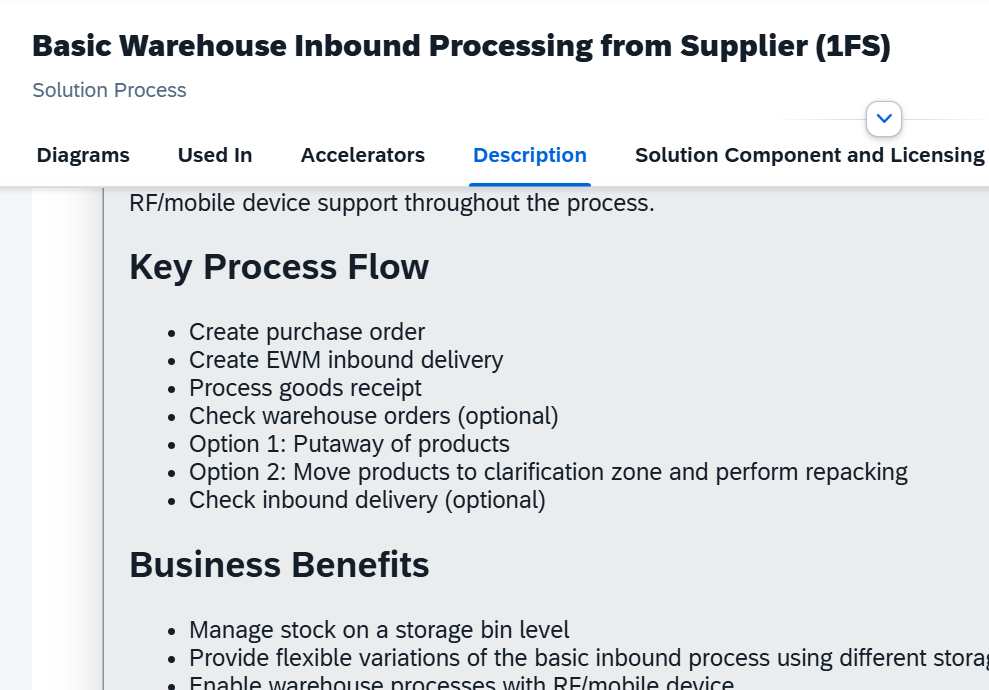
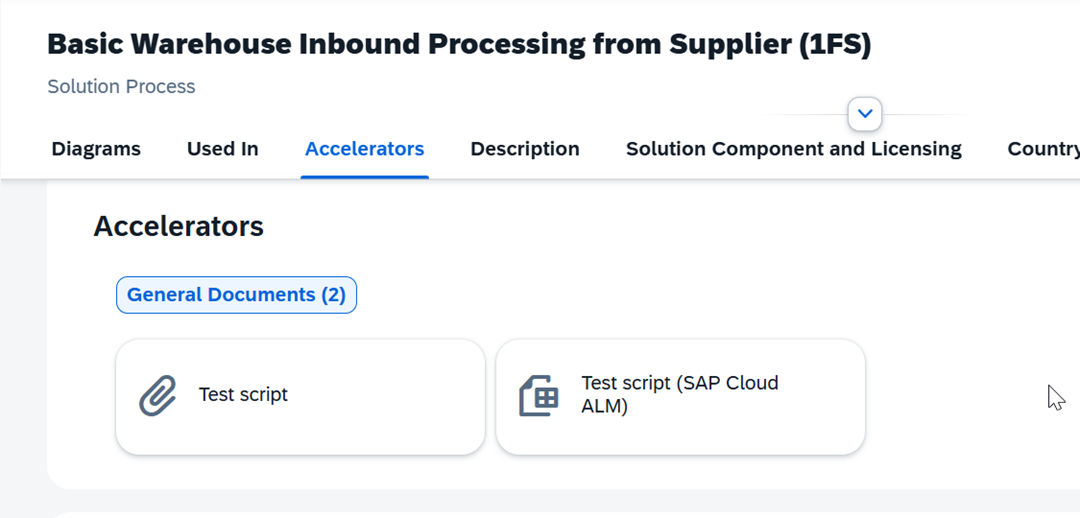
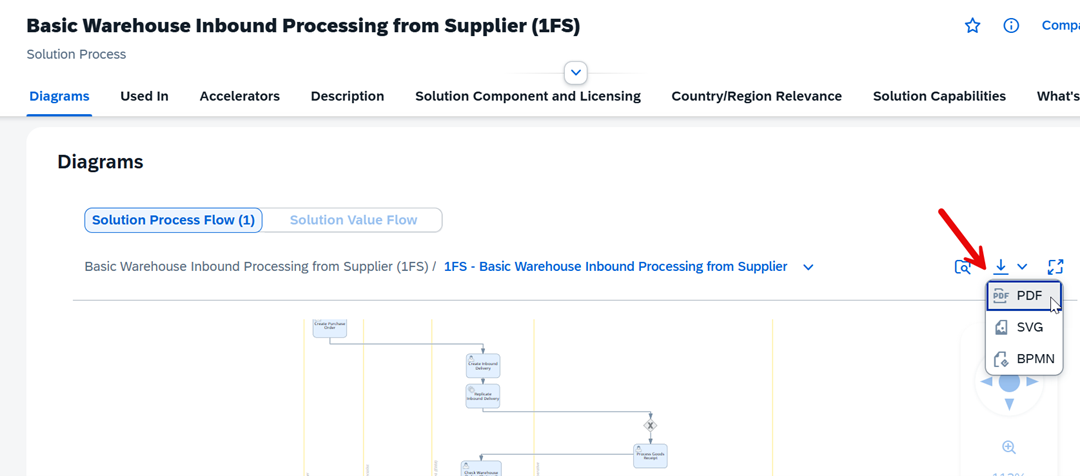
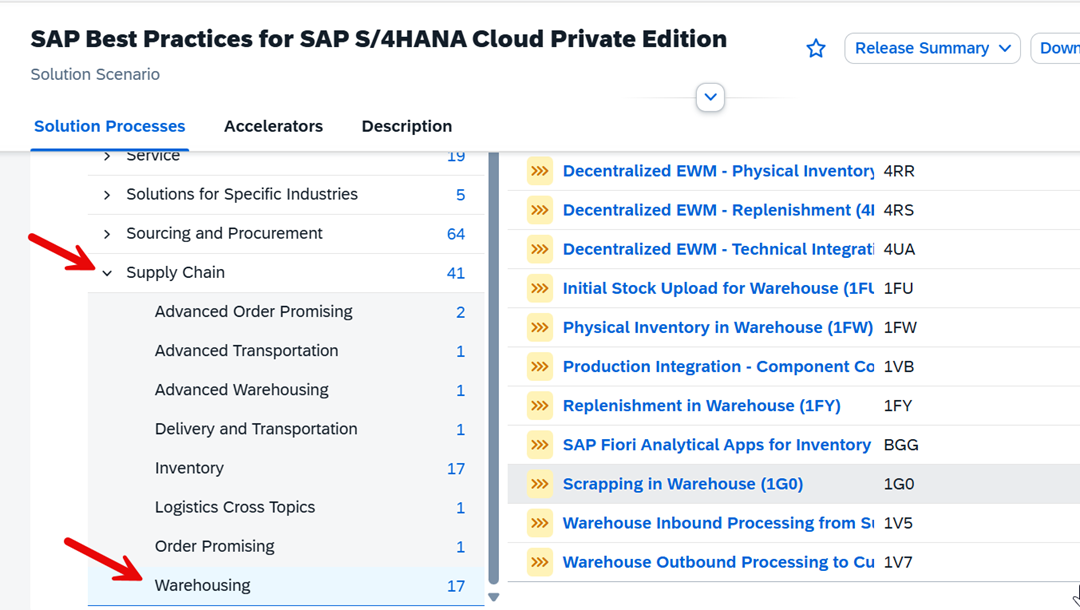
You can find all this information in the SAP Process Navigator (select your solution and then navigate to Supply Chain → Warehousing). Here you will find all the detailed documentation, process models, and test scripts.
https://me.sap.com/processnavigator/SolS/EARL_SolS-055/2022?region=DE
BPs vs. RDS vs. Fully Activated Appliance
If you've searched for preconfigured SAP content in the past, you may have come across various terms:
Rapid Deployment Solutions (RDS): This is SAP's old approach from the 2010s. It consisted of pre-built packages with limited scope, but these have since been discontinued. Today, you no longer need to worry about them.
Best Practices (BPs): As mentioned earlier, these are individual, preconfigured process scenarios (scope items) that can be added individually to an existing SAP system or client.
Fully Activated Appliance (FAA): This is a complete, preconfigured sandbox environment in which all best-practice processes—for EWM and all other modules—are already activated (in my opinion, the FAA does not cover 100% of the best practices, but rather about 90%).
Conclusion: For anyone who is just getting started with EWM or wants to create prototypes, the fully activated appliance or selected Best Practice Scope items are the options they should focus on.
Installation
If you want to install the FAA on your on-premises system, you must download a complete system image. This also means that you cannot simply import it into an existing system (you basically need a new/empty system or must overwrite an existing one). However, the individual best practices scope elements can be imported into an existing client (details below).
If you'd like to learn more about the FAA and its local office, there is an excellent blog by Joerg Wolf.
Alternatively, the FFA can also be ordered via SAP CAL (Cloud Appliance Library), though this requires an account with one of the major hyperscalers (e.g., Azure, AWS). Operating the system there costs about $4 per hour. Hosting alone will therefore cost you about $1,000 per month if you want to run the instance 10 hours a day. In addition, after the 30-day trial period, you’ll need a CAL license, which costs at least another $600 to $700 per month.
To the best of my knowledge, the CAL option is the only way to get easy access to best practices directly from SAP (keep in mind that the FAA covers most of the best practices). However, you can add as many best practice scope elements as you like to your local on-premises system.
The process isn't exactly easy and requires at least some basic knowledge of SAP. Here are the key steps at a high level:
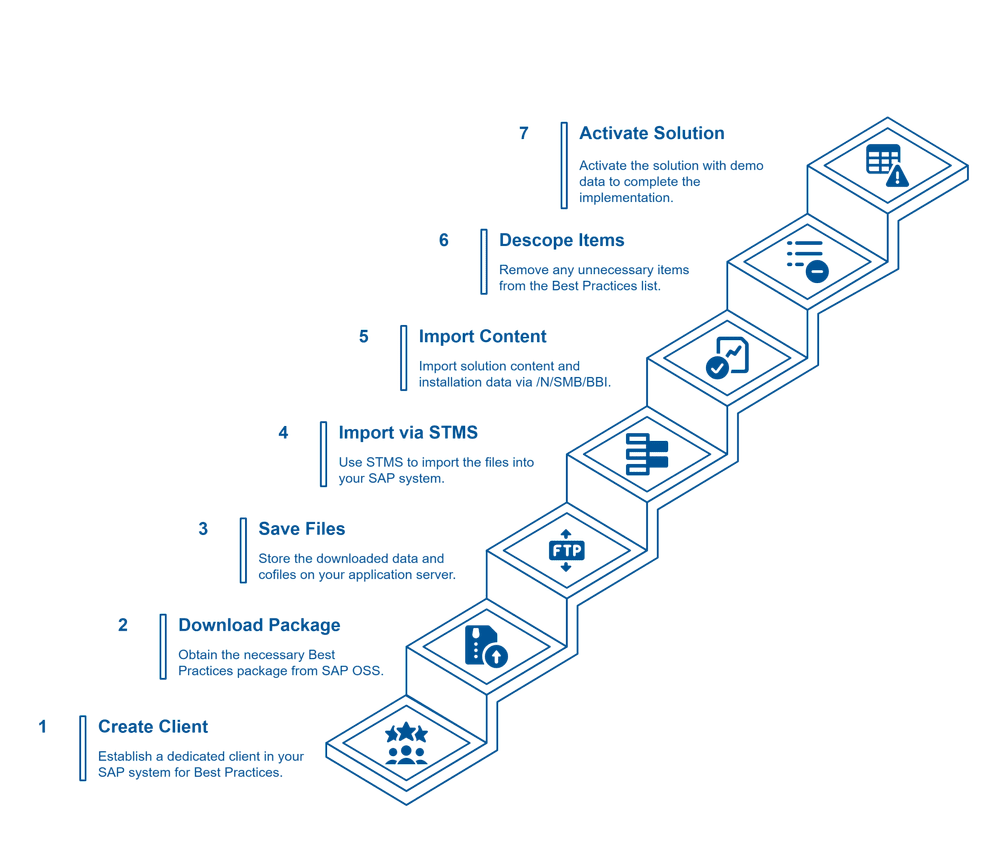
1. Create a Best Practices client.
2. Download the BP package (ZIP file) for your OSS system version.
3. Save the data and CO files from the ZIP file to your application server.
4. Import the files as a transport using transaction STMS.
5. Import the solution content and installation data using transaction /N/SMB/BBI.
6. Select or deselect the required BP elements.
7. Activate your solution (with demo data).
I won't go into detail here, since there's already a great blog post that explains every single detail (a big thank you to Hanuma Rupakula and Mahesh Sardesai (LINK)).
My honest opinion is that this process alone will keep even an experienced Basis expert busy for at least 1–2 days. You'll need patience to deal with release-specific error messages, retries, and many manual steps.
The abbreviation
I promised you a 10-minute option, and here it is—the alternative for consultants, trainers, or students who want to focus on the process rather than struggling with the installation.
By using a hosted service (such as the one offered by IDES24, with whom I collaborate), you essentially receive a fully deployed, fully activated appliance system. This not only covers all EWM best practices but also includes comprehensive best-practice processes configured for all other SAP modules.
The entire process is quick and easy:
Sign up on the website (www.IDES24.de).
You will receive your login information by email.
Log in using your browser, or add the connection information to your local SAP GUI.
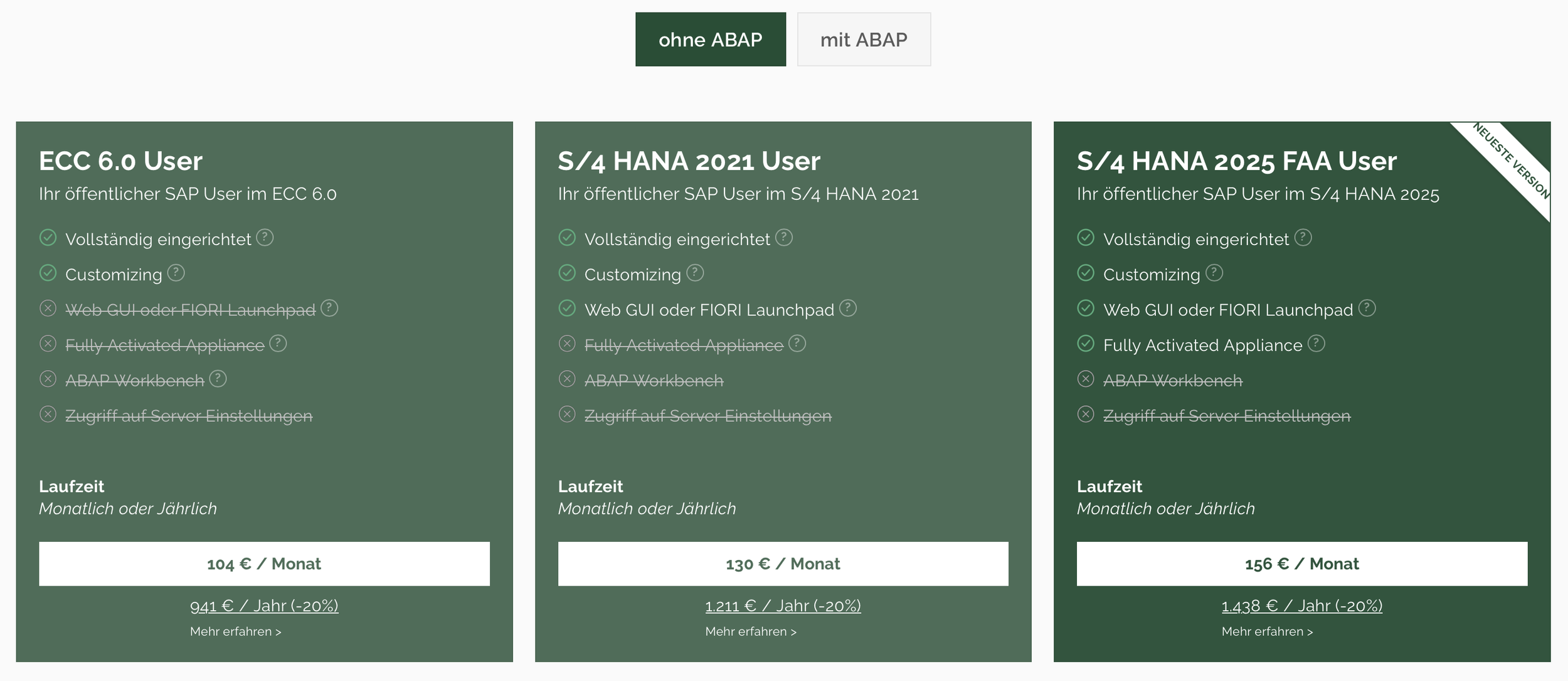
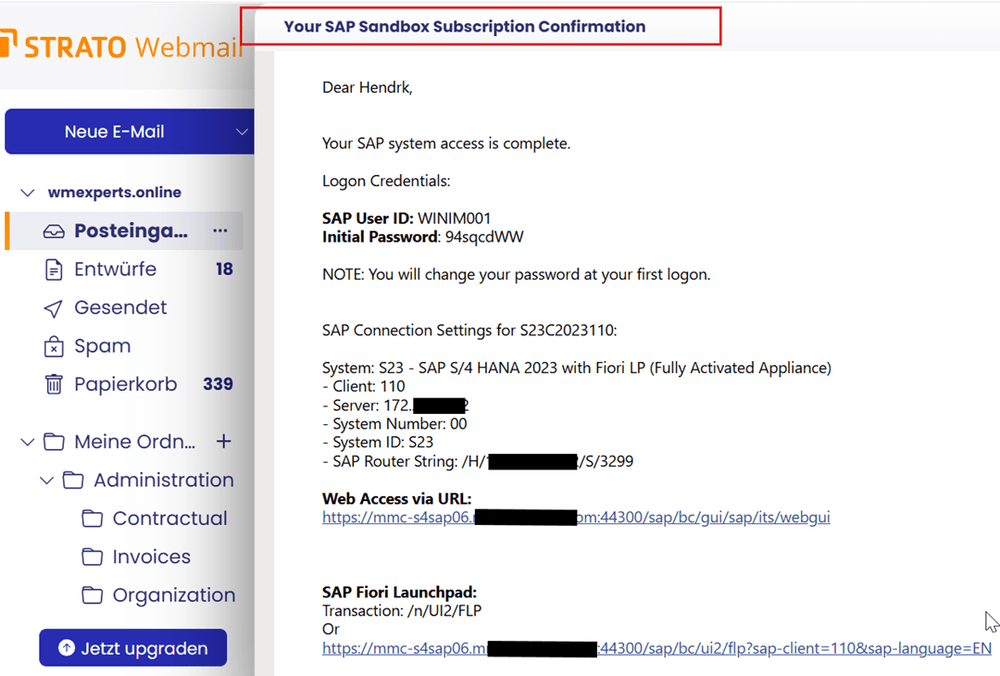
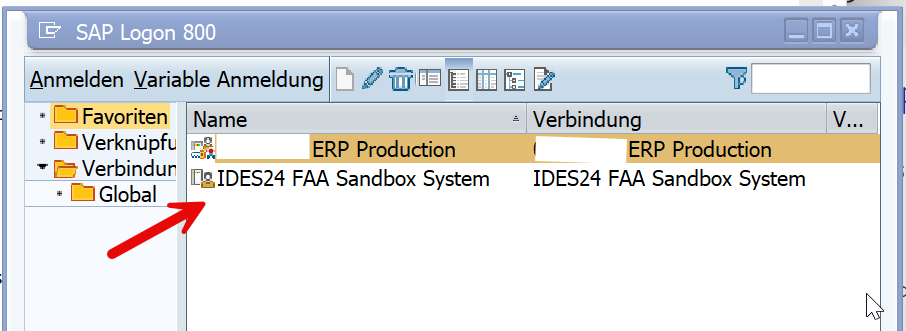
That's it! You can start learning or prototyping more or less right away. I think this option is a fantastic way for some of you to save time and money, since you can focus entirely on learning the EWM processes without having to worry about setting up the system.
Send me a quick email at contact[at]wmexperts.online if you'd like to get a 10% discount and support my blog/channel at the same time!
What happens next?
This concludes my brief overview of SAP EWM best practices and how to apply them.
In the next post in this series, I’ll present a proven method for learning the basics of EWM using the Best Practice Scope elements. I believe I’ve developed a step-by-step method that makes learning incredibly easy.
Subscribe to my YouTube channel at youtube.com/@sapewm or sign up for the newsletter so you don't miss the next video!
Author: Hendrik von WMexperts